A hands-on, no-fluff guide to dynamic QR codes. Learn how dynamic redirects work under the hood, how to track real-time scans in Google Analytics 4, and how to avoid the notorious QR subscription trap.
The $4,000 Print Disaster (And Why Static QR Codes Are a Trap)
A small coffee roaster in Seattle ordered 15,000 custom-printed foil bags for their signature seasonal blend. Front and center was a sharp, glossy QR code designed to send customers to a landing page featuring brewing guides and a 15% reorder discount.
Two days after the bags arrived at their warehouse, their web designer decided to clean up URL structures. The page
/brew-guide-2026/guides/brewingJust like that, 15,000 bags were pointing to a
404 Not FoundBecause they used a traditional static QR code, the destination URL was hardcoded directly into the black and white pixel matrix. There was no server in between, no redirect engine, and no way to change a single letter. Their options were brutal: scrap $4,000 worth of premium packaging, or stick ugly white correction labels over every single bag.
This happens every day to restaurants, real estate agencies, event coordinators, and retail brands.
If you take only one lesson from this guide, let it be this: never print a static QR code on anything that costs money to replace.
To protect your campaigns, you need dynamic QR architecture. In this comprehensive guide, we will break down exactly how dynamic QR codes work under the hood, how scan telemetry functions, how to pipe data into Google Analytics 4, and how to use modern tools like GetYourQRAnalytics without falling for predatory monthly subscription traps.
The "Free QR Code" Scam: What Legacy Companies Aren't Telling You
Before diving into the technology, we have to talk about the elephant in the room: the predatory business model dominating the QR code industry today.
If you search Google for a "free QR code generator," nine out of ten results follow the exact same bait-and-switch playbook:
- The Tease: They let you design a stylish QR code with colors, frames, and logos for free.
- The Print: You print 5,000 business cards, wedding invitations, or trade show flyers.
- The Hostage Takeover: Exactly 14 days later, your phone buzzes or your customers complain that the QR code is broken. When you scan it, a paywall screen appears: "Your free trial has expired. Upgrade for $250/year or your code stays disabled."
They hold your physical print collateral hostage because they know reprinting costs more than paying their ransom.
That business model is broken and unethical. Dynamic routing and scan logging are lightweight database operations. A forward-thinking platform like GetYourQRAnalytics was built specifically to counter this nonsense: offering free dynamic QR codes that stay alive, allow destination editing whenever you want, and provide transparent scan analytics without locking you out.
Under the Hood: How Dynamic QR Architecture Actually Works
To understand why dynamic QR codes are so powerful, let's look at what happens at the network layer when a smartphone camera focuses on a code.
Static QR Flow (Hardcoded & Brittle):
[Smartphone Camera] ─────── Direct Raw String ───────> https://example.com/dead-link-404
(The physical print IS the URL. If the URL dies, the print dies.)

Dynamic QR Flow (Decoupled & Intelligent):
[Smartphone Camera]
        │
        ▼ (Reads compact short URL, e.g., getyourqranalytics.com/r/xyz)
[Edge Cloud Router]
        ├──> [Step 1: Telemetry Logger] (Captures City, Timestamp, OS, Referrer)
        ├──> [Step 2: Rule Evaluator]   (Checks if scanner is iPhone or Android)
        └──> [Step 3: HTTP 307 Redirect]
                    │
                    ▼
          [Final Target Destination] (Editable anytime in your dashboard)
1. Data Density and Scanning Reliability
A static QR code holding a long URL (for example,
https://example.com/products/summer-sale?utm_source=flyer&utm_medium=print&utm_campaign=q2_launchIn contrast, a dynamic QR code only encodes a clean, compact short slug (e.g.,
getyourqranalytics.com/r/summer2. The HTTP 307 Temporary Redirect Engine
When a scanner hits a dynamic QR endpoint, the server responds with an HTTP 307 Temporary Redirect (or HTTP 302).
Why does the status code matter?
- An HTTP 301 is a permanent redirect. Browsers cache 301s aggressively on the user's device. If you ever updated the destination URL later, repeat scanners might still get redirected to the old cached address.
- An HTTP 307 instructs mobile browsers: "Send the user to this destination right now, but always check back with the router on every future visit." This ensures that every scan is counted, telemetry is captured with 100% precision, and destination edits take effect worldwide in milliseconds.
What Scan Telemetry Tells You (And How to Read It)
Raw scan counts are a vanity metric. If a flyer gets 500 scans, but you don't know where those scans originated or who scanned them, you cannot calculate return on investment (ROI).
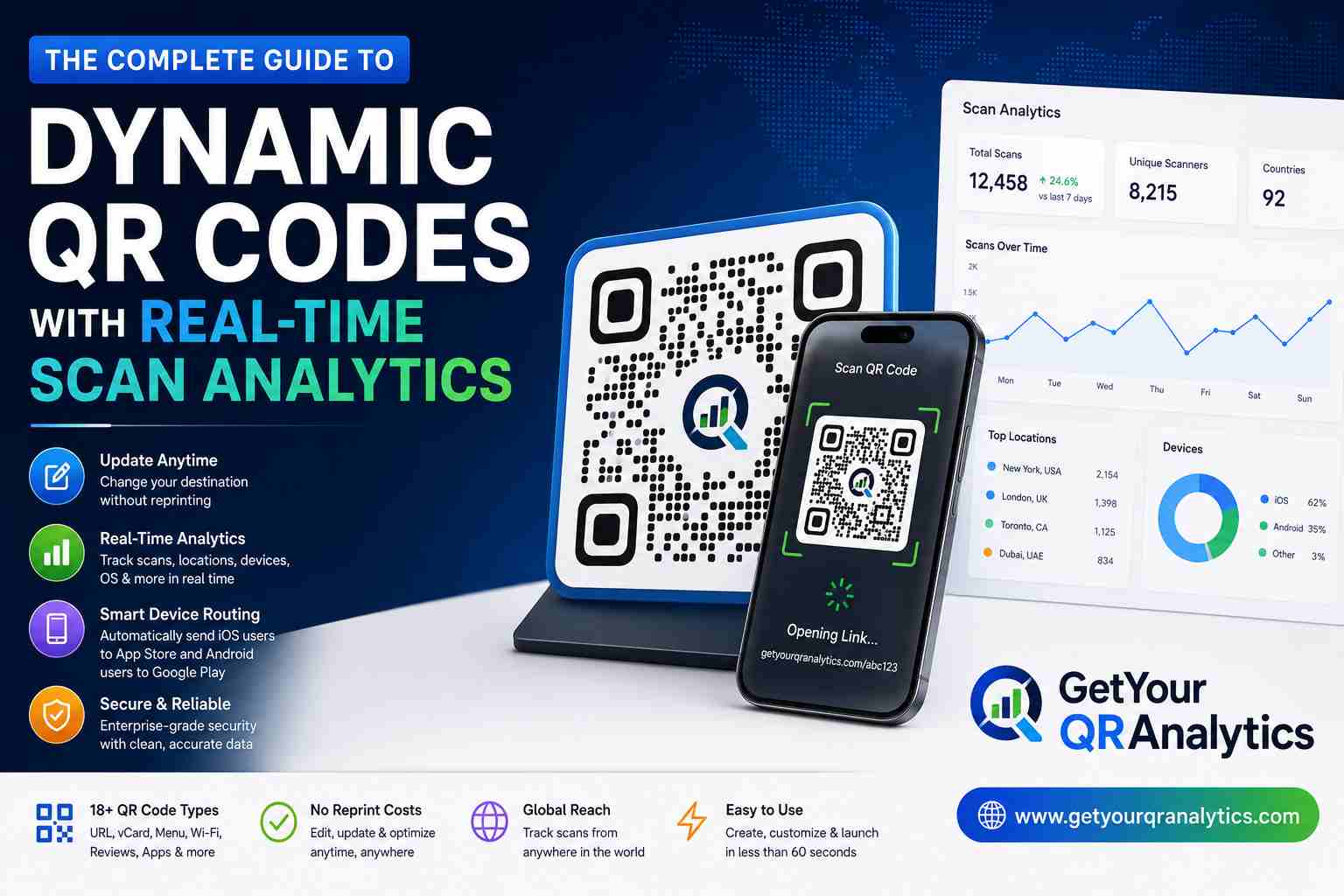
Here is the telemetry data captured by an intelligent dynamic engine like GetYourQRAnalytics, and how to turn it into marketing decisions:
1. Geolocation & City Attribution
Every HTTP request arrives with an IP address, which resolves to an approximate city, state, and country before being masked for privacy.
- How to use it: If you distribute 1,000 flyers across five university campuses or neighborhood coffee shops, geographic attribution shows you exactly which zip code generated 80% of your customer interest. Double down on the winning location and pull budget from the dead zones.
2. Operating System Breakdown (iOS vs. Android)
The user agent string reveals whether the scanner is holding an iPhone, a Samsung Galaxy, a tablet, or a desktop laptop.
- How to use it: If 75% of your foot traffic uses iOS, prioritize Apple Pay checkout flows, Apple Wallet passes, and iOS app store features on your landing pages.
3. Scan Velocity by Time and Day
Scans logged with millisecond timestamps reveal human behavioral patterns.
- How to use it: A restaurant owner placing tabletop QR codes can measure breakfast vs. lunch vs. late-night dinner engagement. If lunch scans surge between 12:15 PM and 1:30 PM, they can dynamically update the QR destination during those hours to feature a 15-minute quick-lunch combo menu.
4. Dynamic UTM Parameter Forwarding
When you run offline campaigns, connecting print scans to Google Analytics 4 (GA4) or Mixpanel is notoriously difficult. Dynamic QR routers solve this by automatically injecting and preserving UTM parameters:
Destination: https://yourbrand.com/signup?utm_source=billboard&utm_medium=qr&utm_campaign=downtown_launch
When a scanner hits your website, GA4 registers the exact campaign source, allowing you to track post-scan conversions, purchases, and form submissions in your existing revenue dashboards.
5 Practical Scenarios Where Dynamic QR Codes Win
Scenario 1: Mobile App Acquisition with Smart OS Routing
Promoting a mobile application on print media usually forces you into an awkward compromise: do you print an Apple App Store logo or a Google Play badge? Printing two separate QR codes side by side confuses users and looks cluttered.
With smart dynamic routing, you print a single QR code. The router inspects the scanner's device:
- Scanned on an iPhone: routes straight to the Apple App Store.
- Scanned on an Android: routes straight to Google Play.
- Scanned on a desktop/laptop: routes to a responsive desktop showcase page with download links.
Scenario 2: Restaurant Menus That Never Break
Paper menus cost thousands to reprint every time prices shift or a dish runs out. A dynamic QR code on the table allows the manager to link directly to a digital menu portal. When items sell out or seasonal specials change, the chef updates the menu on their phone, and every table reflects the new menu immediately.
Scenario 3: Real Estate Yard Signs & Direct Mail Postcards
Real estate agents often print expensive corrugated plastic lawn signs for property listings. When the home sells, the sign becomes garbage. With dynamic codes, when 142 Elm Street closes, the agent logs into their GetYourQRAnalytics dashboard and redirects that exact same sign to their newest active listing on 88 Maple Ave. The physical hardware is reused indefinitely.
Scenario 4: The 5-Star Review Sentiment Shield
Negative public reviews on Google can destroy a local business. Advanced dynamic codes can deploy a sentiment filter:
- Customers scan the table or receipt QR code.
- They are asked: "How was your experience today?"
- If they select 5 stars: they are instantly routed to your public Google Reviews listing to post their praise.
- If they select 1 to 3 stars: they are directed to an internal feedback form where management can resolve their grievance privately before it becomes a public 1-star review.
Scenario 5: Business Cards & Digital vCards
Paper business cards end up in the trash 88% of the time. A dynamic vCard QR code on the back of your card allows contacts to scan and immediately download your full contact card (
.vcfFeature Comparison: GetYourQRAnalytics vs. Legacy Services
| Feature | Legacy QR Tools (QR Code Gen / Bitly) | Typical Free Sites | GetYourQRAnalytics |
|---|---|---|---|
| Dynamic URL Editing | Paid Only ($15 to $35/month) | Broken / Static Only | Free & Always Active |
| Scan Expiry Trap | 14-day trial shutdown | Ad-injected popups | Zero Expiration Lockouts |
| Real-Time Telemetry | Paywalled behind $300/yr plan | Non-existent | Full City, Device & OS Tracking |
| Device OS Routing | Enterprise custom plans | Unsupported | Built-in (iOS vs Android) |
| Scan Limits | Hard caps (e.g., 50 scans/mo) | Unreliable | Generous & Transparent |
| Custom Styling & Logos | Watermarked | Basic black/white | Custom Palettes, Eyes & Logos |
| Multi-Type Engines | Web links only | Generic strings | 18+ Tailored Modules |
Step-by-Step: Creating Your First Trackable Dynamic QR Code
Setting up a dynamic code takes less than two minutes:
Step 1: Choose Type ───> Step 2: Configure Routing ───> Step 3: Style ───> Step 4: Download & Deploy
(URL, App, vCard)       (Target URL, iOS/Android URLs)   (Colors, Eyes)     (Vector SVG / High-Res PNG)
- Open the Studio: Go to GetYourQRAnalytics.
- Select Your Module: Choose the type that fits your campaign: Website URL, App Store, vCard, Google Review Shield, Menu, or WiFi.
- Configure Your Target: Paste your destination link. If promoting a mobile app, input separate Apple App Store and Google Play URLs for automated OS detection.
- Style for Brand Alignment: Customize the foreground color to match your brand palette, select rounded or geometric corner eyes, and optionally upload your company logo for the center.
- Download the Vector Asset: Download your asset in SVG (for billboards and high-resolution print packaging) or 300+ DPI PNG (for digital flyers and social banners).
- Track Real-Time Scans: Open your live analytics view anytime to watch scans populate across the world map with device and city data.
Physical Print Checklist: Rules Every Designer Must Follow
Before sending any artwork to the commercial printer, run through this five-point pre-flight checklist:
- Observe the 10:1 Ratio Rule: Determine the distance from which the scanner will stand. Divide that distance by 10 to get the minimum QR code width. If a poster is viewed from 1 meter (100 cm) away, the QR code must be at least 10 cm wide.
- Never Invert Without Testing: Dark patterns on light backgrounds scan with 99.9% reliability. Light patterns on dark backgrounds (white QR on black) can cause autofocus failures on low-end smartphones. If you must use dark mode, test thoroughly across multiple phones.
- Preserve the Quiet Zone: Keep a clear margin around the QR code equal to at least 4 modules (dots) wide. Do not let text, borders, or images touch the outer boundary of the QR matrix.
- Include an Actionable CTA: Never print an isolated QR code with no context. A clear text prompt like "Scan to unlock 20% off" or "Scan for instant WiFi" increases scan rates by over 30%.
- Do a Real-World Field Test: Never approve a print run from a PDF on a desktop monitor. Print out a 100% scale proof on standard office paper, walk three paces back, pull out your phone, and test the scan under real lighting.
Frequently Asked Questions
Can I change where a dynamic QR code points after printing 10,000 copies?
Yes. That is the core benefit of dynamic architecture. You log into your GetYourQRAnalytics dashboard, update the destination URL, and hit save. The printed QR code stays identical, but scanners are redirected to the new URL instantly.
Do dynamic QR codes expire?
Static codes never expire because the data is hardcoded into the print. Dynamic codes rely on a redirect server. With predatory generators, they expire as soon as your free trial runs out. With GetYourQRAnalytics, dynamic codes are engineered for long-term production use without surprise shutdown traps.
How do I track QR code scans in Google Analytics 4?
Simply append standard UTM tags to your destination URL (e.g.,
?utm_source=print_catalog&utm_medium=qr&utm_campaign=spring_saleIs scan tracking compliant with GDPR and CCPA?
Yes. Professional QR analytics track aggregated, non-personally identifiable telemetry: the user agent (device/OS), timestamp, and general geographic location derived from masked IP addresses. No personal cookies or private device identifiers are stored.
Final Thoughts: Stop Flying Blind in Physical Campaigns
Physical media is one of the highest-trust advertising channels available, but running offline campaigns without tracking is like running digital ads with conversion tracking disabled.
Dynamic QR codes give you the flexibility to adapt to changing business needs, fix typos without reprinting, and measure every dollar spent on print marketing.
Ready to build your first dynamic campaign? Visit GetYourQRAnalytics and generate your free dynamic QR code with live scan intelligence today.